NBK Tools

NBK Tools Close tools

Loan Calculator

Loan Refinancing Calculator

Term Deposit Calculator

Currency Convertor

Contact us
Find us
Open notifications

Notifications

  • Important Announcement

    Dear Customer, please note that NBK - Egypt will never contact you to request any personal or confidential information regarding your accounts or cards. In case this happens, please call the Call Center immediately at 19336.

NBK Online Banking

About

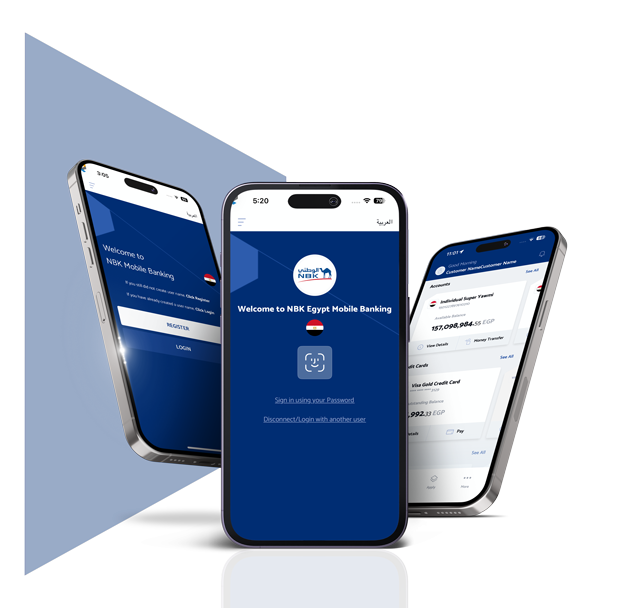
Whether you're at home, in the office or on the go, we always strive to provide you an easy and comfortable banking experience.

With NBK Online Banking you can easily access, manage and control your finances.

What can I do?

  • Book NBK Certificates of Deposit through NBK Mobile Banking App in a few steps without the need to visit the branch
  • Activate or deactivate your soft token for authorization of all third-party transfers and high-risk activities
  • Add, edit and delete beneficiaries with ease
  • You can download e-Statements for your accounts and credit cards

Transfers and Payments

  • Transfer funds between your accounts, internally within NBK - Egypt Accounts or other banks, locally and internationally
  • Settle your credit card dues
  • Convert currency
  • Instant transfers available 24/7 to:
    • Any bank account
    • Payment address
    • Mobile number
    • E-wallet 
    • Bank Card

Account and Card Services

  • Open sub-accounts instantly including Islamic/foreign accounts
  • Monitor your accounts and your NBK Certificates of Deposits details
  • Activate dormant sub account
  • View loan details
  • Monitor primary and supplementary credit card transaction history
  • View your mutual funds details

E-services

  • Apply for loans, debit and credit cards
  • Request printed bank statement, cheque book and balance certificate
  • Apply for a demand draft and SMS Banking
  • Apply for changing personal information e.g, phone number and email

Additional Services

  • Change password and manage subscribed features
  • Easily activate or deactivate biometric login
  • Know more about NBK - Egypt Products
  • View or delete all other registered devices
  • Locate your nearest NBK Branch or ATM
  • View the latest foreign currency rates
  • Call the bank from inside or outside Egypt
  • Reach us through our official social media channels

How do I sign up?

Visit your nearest branch and sign NBK Online Banking form.

Within 5 business days, you can activate the service by calling NBK Call Center on 19336.

FEES AND CHARGES

Fees are applied based on Bank instructions.